Displays & Connectivity
Navigation
Send Us A Message
How Can You Confirm Cabin Heat Soak Is Causing Display Blackouts?
Author
Date Published
Reading Time
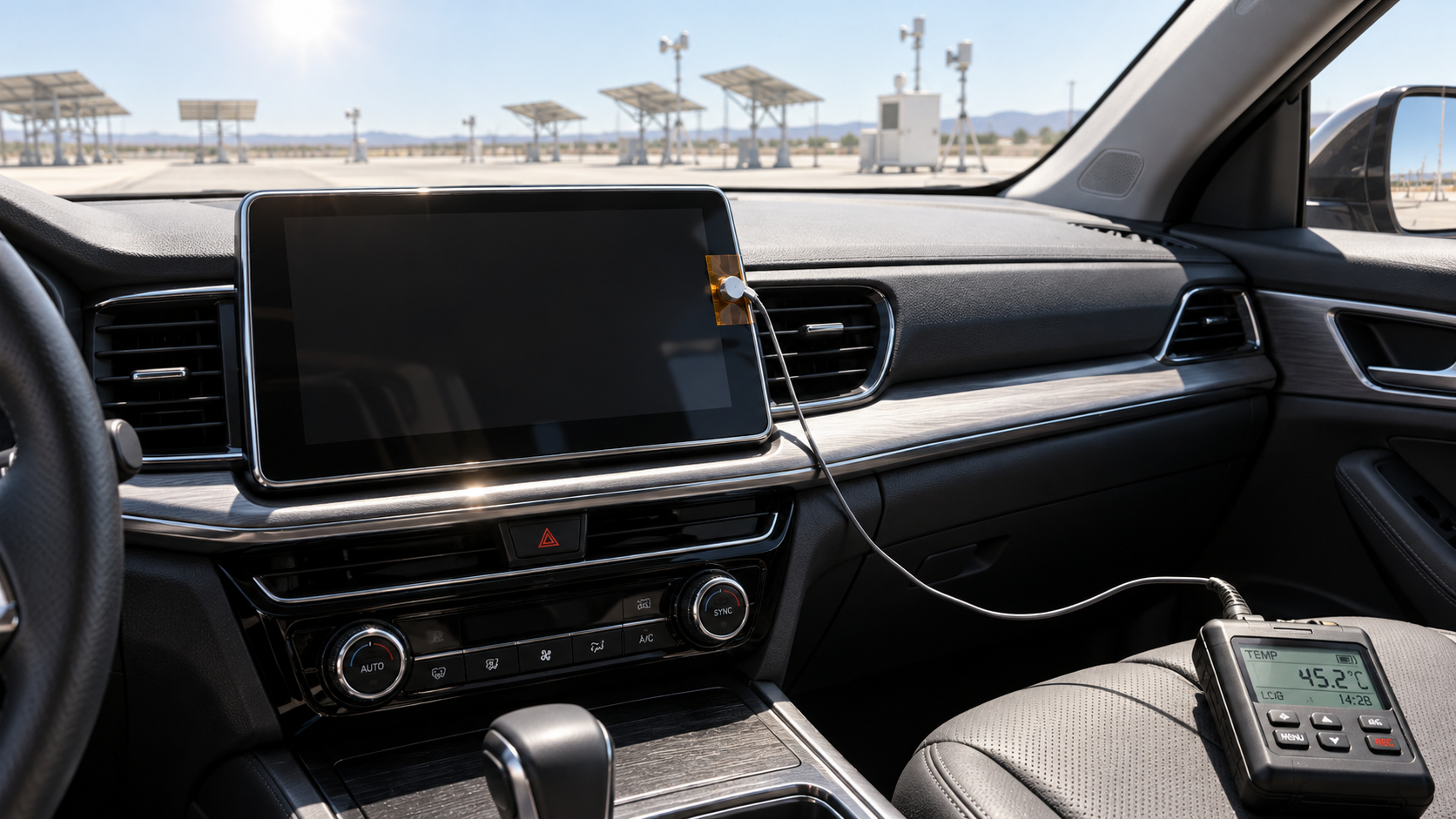
Cabin heat soak becomes a credible explanation for display blackouts when the fault repeats under measured hot conditions, becomes less likely under comparable cooler conditions, and tracks the temperature of the affected hardware. Recovery after switching on the air conditioning is useful evidence, but it cannot establish the cause by itself: cooling also takes time, battery voltage may recover after startup, and software may complete a restart.
The strongest confirmation combines repeatable temperature dependence with electrical and diagnostic evidence captured during the blackout. For engineering and quality teams, the objective is to establish both whether heat triggers the event and which part of the display system fails. A temperature-sensitive connector, an overheating display power circuit, and a software-controlled thermal shutdown can produce similar visible symptoms while requiring different corrective actions.
What observations make a temperature-related blackout more likely?
A consistent relationship between thermal exposure and failure is the first useful signal. The display may operate normally after an overnight cool-down, fail after parking in direct sunlight, and recover as the dashboard electronics cool. Confidence increases if that pattern repeats while the vehicle configuration, software version, startup sequence, and electrical loads remain comparable.
Record when the blackout begins. A screen that is already dark at the first wake-up after parking presents a different diagnostic problem from one that works initially and then fails during operation. The first pattern may involve a hot-start limitation or initialization fault; the second may involve additional self-heating, a changing power condition, or a temperature-dependent software response.
Separate observations from interpretations. “The display went black after sun exposure” describes an event. “The display exceeded its thermal limit” requires temperature measurements and evidence that the relevant limit was reached. Neither cabin discomfort nor a hot dashboard surface establishes the internal temperature of the display electronics.
Which temperatures should you measure?
Measure near the suspected failure location as well as in the cabin. Cabin air temperature provides context, but direct solar exposure, dashboard packaging, ventilation, and operating power can give the display assembly and the infotainment computer different thermal histories.
Useful measurement locations depend on access and system architecture:
- Cabin air near the display: establishes the surrounding environment without treating an air-conditioning outlet reading as representative of the whole dashboard.
- Display housing or accessible rear surface: helps track the assembly’s heating and cooling, although it does not directly measure semiconductor junction temperature.
- Head-unit or display-controller housing: matters when image processing and display control reside in a separate module.
- Internal temperature channels: can provide valuable diagnostic evidence when their sensor locations, scaling, and update behavior are documented.
Synchronize temperature records with video of the screen, diagnostic logs, and electrical measurements. A temperature recorded after opening the doors and running the air conditioning may miss the conditions at the moment of failure.
Infrared measurements require care. Shiny trim, glass, reflections, viewing angle, and emissivity settings can distort readings. A suitably attached contact sensor may provide a more repeatable housing measurement, provided its installation does not alter cooling or interfere with assembly. Treat every external measurement as a measurement of that location, rather than proof of the temperature elsewhere inside the module.
There is no universal cabin temperature that confirms a heat-induced blackout. Compare measured conditions with the applicable component specification and vehicle requirement, distinguishing operating limits from storage limits. Hardware that tolerates a temperature while powered off may have different requirements during startup or sustained operation.
How do you compare hot and cool conditions fairly?
Build a comparison around the vehicle’s actual failure sequence. If the complaint concerns the first startup after sun parking, reproduce the parking, wake-up, and startup sequence. Continuous operation in a warm workshop may never exercise the same initialization path.
Establish a cool-condition baseline using the same vehicle, software, display settings, connected devices, and startup procedure. Then repeat under documented heat-soak conditions. Record parking duration, solar exposure, vehicle orientation, window position, charging state where relevant, and the time between unlocking and powering the display.
Across trials, capture whether the fault occurs, its onset time, the relevant temperatures, and the recovery sequence. Include hot trials in which the display works normally. Those results help reveal whether temperature alone explains the event or whether another condition must also be present.
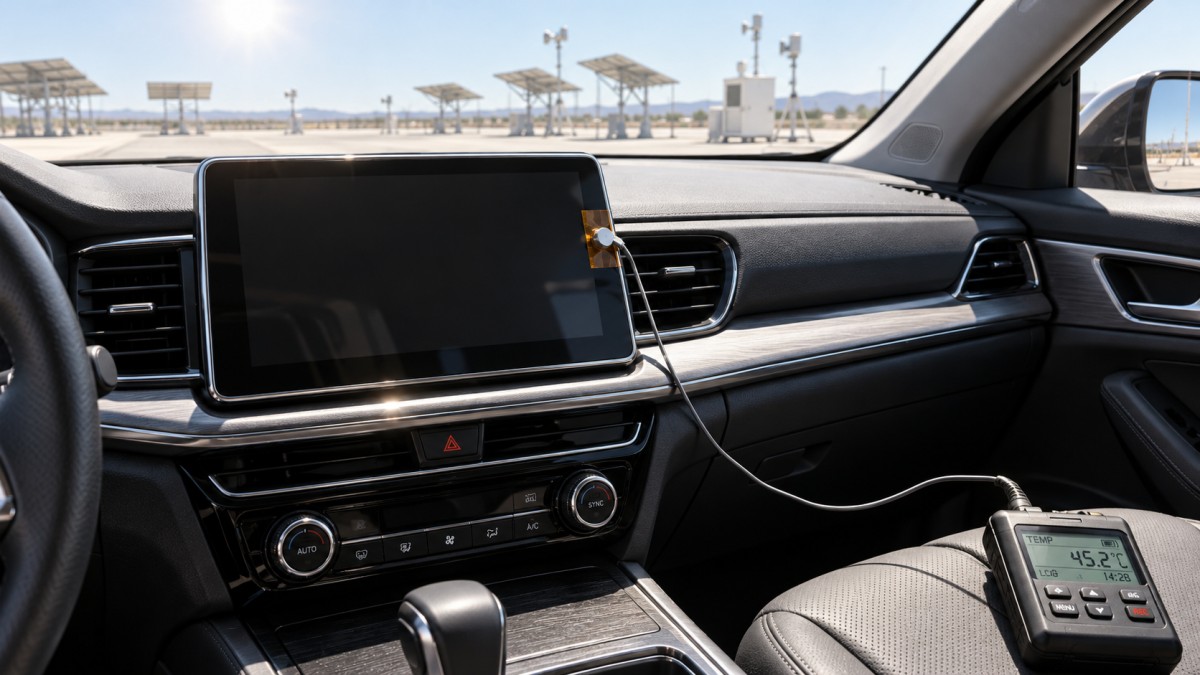
A useful comparison changes one major condition at a time. Shade can reduce solar loading; controlled cooling can change a module’s temperature; a controlled thermal environment can improve repeatability. However, chamber air temperature alone may not reproduce the temperature distribution created by sunlight through the windshield.
Repeatability strengthens the diagnosis, but no fixed number of successful reproductions proves every case. An intermittent failure requires enough observations to distinguish a thermal pattern from random occurrence. Use stationary testing under an appropriate service or validation procedure, especially when the display carries driving information or camera images.
What should you check while the screen is actually black?
Determine whether the failure affects the visible image, the display assembly, or the wider infotainment system. A driver’s description of a “black screen” cannot distinguish those conditions.
Check whether audio continues, steering-wheel commands still work, touch inputs produce a response, and the relevant modules remain reachable through diagnostics. Observe whether the display has a faint glow, shows a startup logo during recovery, or repeatedly restarts. Each observation helps narrow the fault, although none proves a component failure on its own.
- Audio and module communication continue: investigate the display supply, image link, panel control, and illumination functions.
- Multiple infotainment functions stop together: investigate the head unit, shared power and ground, network state, and system reset behavior.
- The screen returns through a boot sequence: look for reset reasons, watchdog events, startup faults, and supply disturbances.
For an LCD, a faint image visible under suitable external illumination can support investigation of the backlight path. This check does not apply in the same way to an OLED, which has no separate backlight. Account for display technology before interpreting visual symptoms.
Also exclude commanded behavior: automatic dimming, display-off settings, proximity functions, and intended screen transitions can resemble a fault. Check requested brightness and display state where diagnostic access permits.
How can you rule out power, wiring, and communication faults?
Capture supply voltage at the affected module during the event. A normal battery reading elsewhere in the vehicle does not show what reaches the display through its fuse, connectors, wiring, and ground path. Startup dips and brief interruptions may be too short for a basic meter to capture.
Use equipment with sufficient time resolution for the suspected event, and examine the ground voltage drop under load as well as the positive supply. Relate any disturbance to the exact blackout time. A voltage change occurring after a module shuts down may be a consequence rather than the initiating fault.
Heat can expose an electrical weakness. Connector movement, marginal contact, or a temperature-sensitive power component can make a blackout repeatably heat-related without demonstrating inadequate cooling of the display panel. If the fault tracks temperature while the supply at the module becomes unstable, the investigation should follow that electrical path.
Communication evidence is equally useful. Check whether the display loses its image link, whether the head unit stops transmitting, and whether network faults precede the blackout. An accessible module with a missing image signal presents a different problem from a module that has lost power.
Avoid disturbing connectors before capturing the original failure where practical. Reseating a connector changes the condition under investigation and can erase an intermittent symptom. Document any intervention so that subsequent improvement can be interpreted correctly.
Do diagnostic codes or recovery after cooling prove the cause?
A thermal fault code can provide strong support when its timing, monitored location, and triggering conditions match the event. Its description still needs interpretation: a temperature-sensor circuit fault is different from a valid overtemperature reading, and a stored historical code may belong to another operating cycle.
Retrieve fault records, freeze-frame data where available, reset reasons, thermal status, and relevant software logs before clearing codes or disconnecting power. Establish which records occurred before the blackout and which followed it. A communication code in another controller may simply report that the infotainment module disappeared.
The absence of a thermal code does not exclude a heat-related fault. A failing circuit may have no temperature monitoring, or the module may stop operating before it can store useful data.
Recovery during cooling is supporting evidence, but the cooling process often introduces other changes. Running the air conditioning changes elapsed time, electrical load, and operating state; switching the vehicle off and on introduces a reset. Where practical, compare passive cooling with recovery after a restart and document temperatures at both points.
Localized cooling can help identify a sensitive assembly when performed under a controlled engineering procedure. Avoid uncontrolled sprays or rapid temperature changes that could introduce condensation, damage, or misleading symptoms. Cooling one housing can also affect nearby circuitry, so apparent localization needs further confirmation.
When is the evidence strong enough to call the fault heat-related?
A defensible diagnosis rests on several findings that agree:
- The blackout repeatedly follows a documented thermal exposure or component-temperature pattern.
- Comparable cooler trials reduce or remove the symptom.
- Cooling changes the failure or recovery behavior without an unexplained reset or electrical change accounting for the result.
- Power, ground, commanded display state, and communication evidence identify or narrow the failing function.
- Diagnostic records, controlled reproduction, or component analysis support the proposed mechanism.
State the conclusion at the level the evidence supports. “Heat-dependent blackout reproduced; initiating fault remains unresolved” can be an accurate finding. “Display controller enters documented thermal protection at its monitored threshold” is a more specific conclusion that requires corresponding records.
Even confirmed thermal protection does not automatically establish defective hardware. The next question is whether the assembly operated within its specified environment and whether the vehicle’s required display behavior was maintained. Packaging, cooling paths, sensor accuracy, power consumption, and software control may all influence that assessment.
What evidence should accompany a repair or engineering escalation?
Provide a reproducible event description: vehicle and module identification, hardware and software revisions, parking and startup conditions, temperature traces, blackout timing, supply measurements, diagnostic records, and recovery behavior. Include the working cool-condition comparison and any hot trials that did not fail.
A replacement that resolves one occurrence supports further investigation but does not by itself identify the mechanism. Replacement may also reseat connectors, change software or configuration, or occur under cooler conditions. Evaluate the result against the original failure conditions.
Close the investigation when the proposed correction survives the exposure and operating sequence that previously caused the blackout, with supporting electrical and diagnostic evidence. The useful outcome is a demonstrated explanation of what failed, why heat triggered it, and why the correction prevents recurrence under the required vehicle conditions.
Core Sector // 01
Recommended News
 Displays & ConnectivityHow Can You Confirm Cabin Heat Soak Is Causing Display Blackouts?How can I tell whether display blackouts after cabin heat soak are temperature-related? Discover how temperature logs, hot-versus-cool tests, and power checks help pinpoint the cause.
 Displays & ConnectivityCan you upgrade a car audio system while keeping the factory amp?Upgrade Automotive Audio Systems while keeping your factory amp. Explore speaker compatibility, bass upgrades, and integration tips for clearer sound without costly mistakes.
 Displays & ConnectivityHow to evaluate automotive display readability in direct sunlightEvaluate Automotive Displays in direct sunlight with practical tests for contrast, glare, viewing angles, and heat. Discover how to compare suppliers and select screens drivers can read.